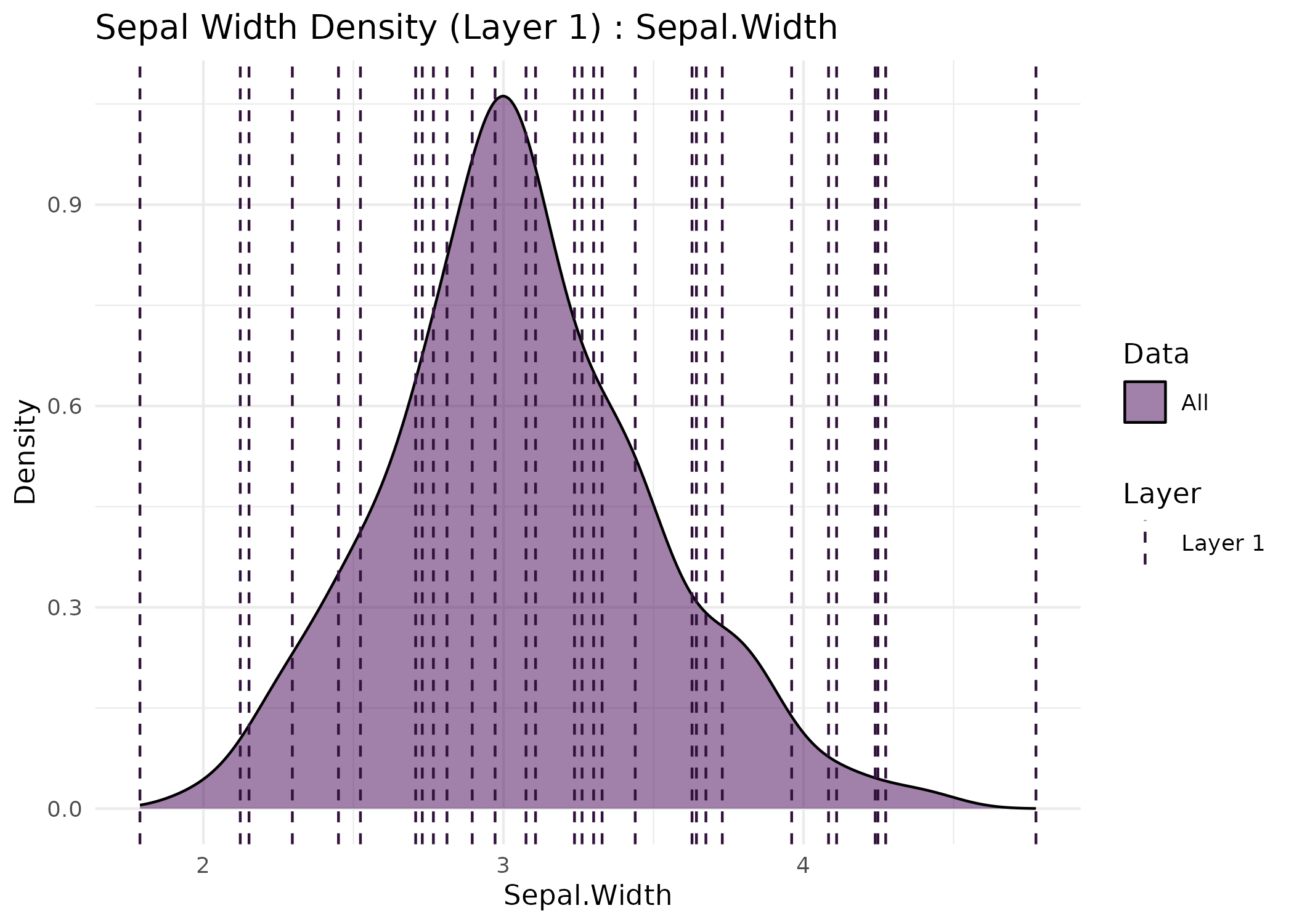
Plots the data together with the prototypes learned by bHIVE
or honeycombHIVE. One or more layers can be shown, faceted by
layer:
Arguments
- result
A list produced by
bHIVEorhoneycombHIVE. For multilayer results, each element represents one layer.- X
A numeric matrix or data frame of the original input features, with the observations in the same order as the input to
bHIVEorhoneycombHIVE. Required.- plot_type
Character string specifying the type of plot to generate. Options are:
"scatter": A scatterplot of data points and prototypes."boxplot": A boxplot of a selected feature by group with prototypes overlaid."violin": A violin plot of a selected feature by group with prototypes overlaid."density": Density plots of a selected feature by group with prototype markers.
- feature
Optional. For
"boxplot","violin", or"density"plots, the name or index of the feature inXto display. IfNULL, the first column is used.- transform
Logical. If
TRUEandXhas more than two columns, the dimensionality reduction intransformation_methodis applied for scatterplots. Otherwise the first two columns are plotted.- transformation_method
Character. The method used for dimensionality reduction. Options are
"PCA","UMAP"(needs the umap package),"tSNE"(needs the Rtsne package), or"none".- title
Character. Title for the plot.
- layer
Integer vector indicating which layer(s) of the result to visualize. For bHIVE outputs, default is
1. For multilayer honeycombHIVE outputs, specify one or more layer indices.- task
Character,
"clustering"or"classification", orNULL(default) to use the task stored inresult. Decides whether observations are grouped by cluster or by predicted class.- ...
Additional arguments passed to the dimensionality reduction:
stats::prcomp(),umap::umap()orRtsne::Rtsne().
Details
"scatter": The observations, colored by cluster or class, with the prototypes drawn on top in the same coordinates. WhenXhas more than two columns andtransformisTRUE, a dimensionality reduction is fitted toXand the prototypes are projected into it."boxplot","violin": A selected feature by group, with the prototypes' values overlaid."density": Density of a selected feature by group, with the prototypes' values marked.
For scatterplots the reduction is "PCA", "UMAP",
"tSNE" or "none". PCA and UMAP are fitted to X only and
the prototypes are placed with the fitted model's predict() method,
so both share one coordinate system. UMAP's projection of new points is an
approximation. tSNE has no such projection, so the data and prototypes are
embedded together and the prototypes take a small part in shaping the
layout.
The prototypes drawn are, for a bHIVE() result, the antibodies in
original feature units (antibodies_unscaled), and for a
honeycombHIVE() layer, the collapsed prototypes that summarize
each cluster.
Examples
data(iris)
X <- as.matrix(iris[, 1:4])
# A single bHIVE clustering, with the prototypes projected onto the PCA
set.seed(1)
res <- bHIVE(X, targetK = 3, maxIter = 10, verbose = FALSE)
visualizeHIVE(res, X = X, plot_type = "scatter", title = "bHIVE prototypes")
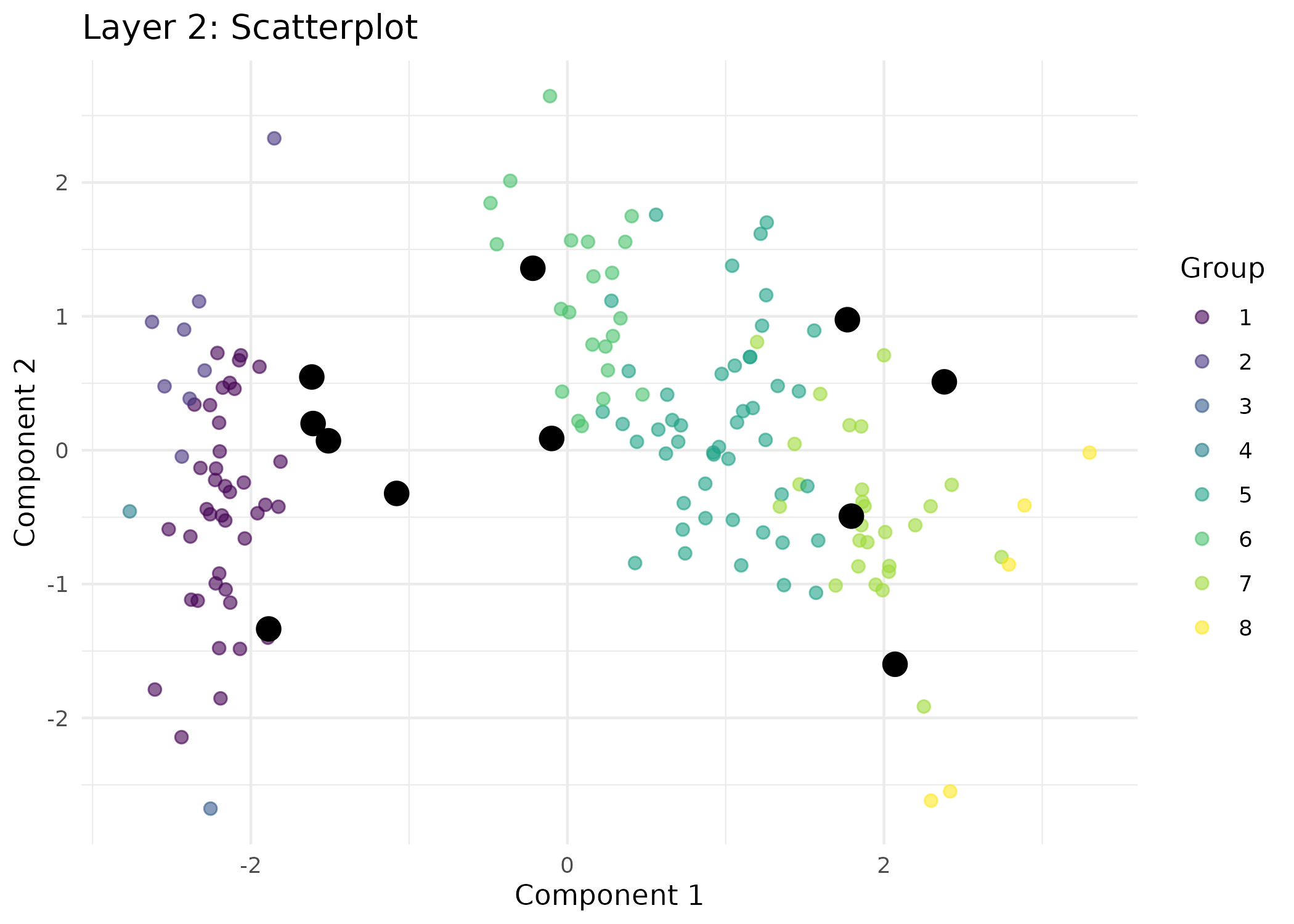 # Layers 1 and 2 of a honeycombHIVE hierarchy
res_h <- honeycombHIVE(X = X,
task = "clustering",
epsilon = 0.05,
layers = 3,
nAntibodies = 30,
beta = 5,
maxIter = 10,
verbose = FALSE)
visualizeHIVE(res_h, X = X, plot_type = "scatter", layer = 1:2,
title = "honeycombHIVE layers")
# Layers 1 and 2 of a honeycombHIVE hierarchy
res_h <- honeycombHIVE(X = X,
task = "clustering",
epsilon = 0.05,
layers = 3,
nAntibodies = 30,
beta = 5,
maxIter = 10,
verbose = FALSE)
visualizeHIVE(res_h, X = X, plot_type = "scatter", layer = 1:2,
title = "honeycombHIVE layers")
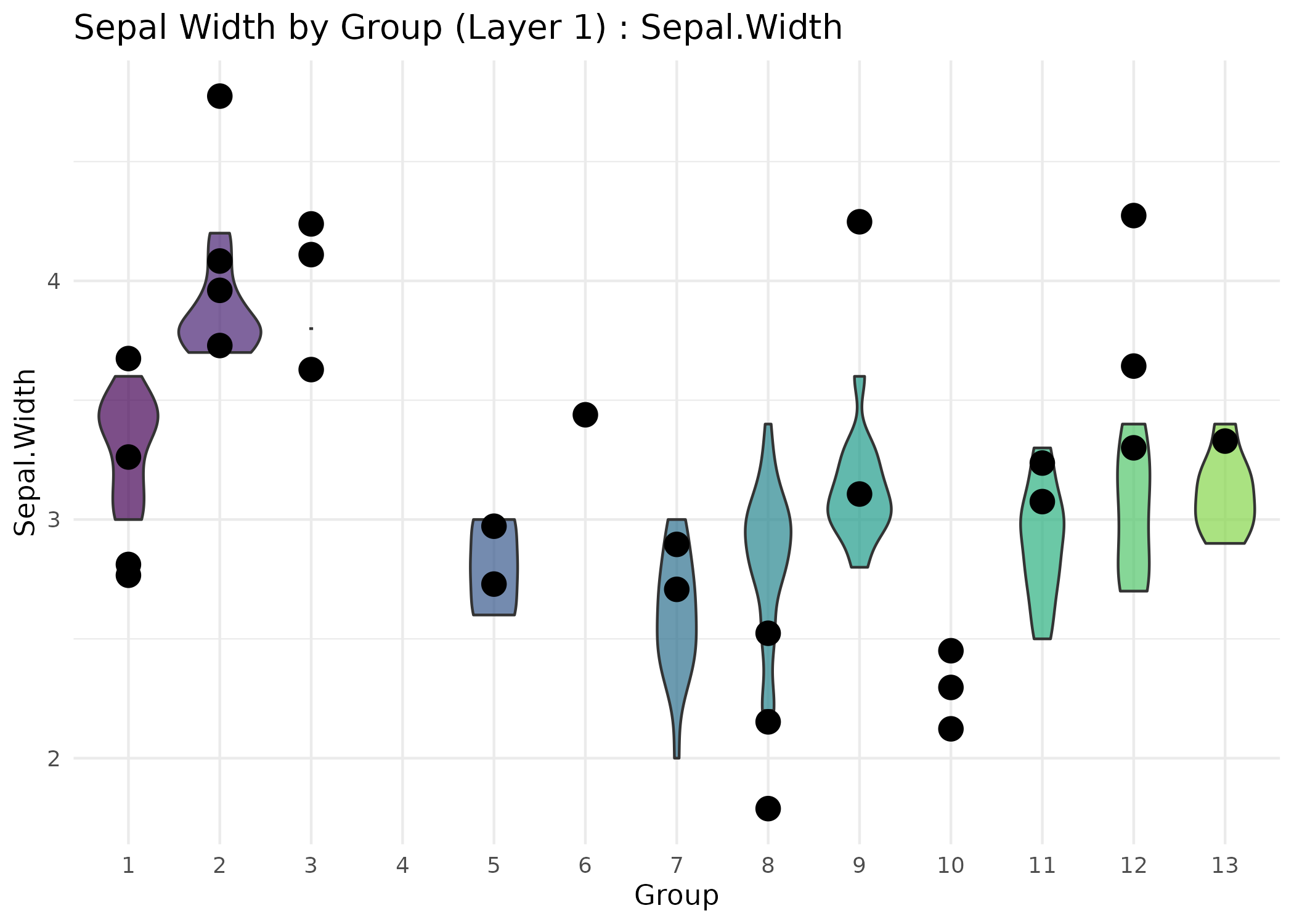 # A feature by class for a classifier, with each antibody's value overlaid
res_c <- bHIVE(X, y = iris$Species, maxIter = 10, verbose = FALSE)
#> This fit cannot predict every class. virginica kept 5 antibodies and recovered 26% of its 50 observations. minPerClass seeds antibodies per class, but suppression removes them afterwards. Raise nAntibodies, lower epsilon, or raise minPerClass. See ?AINet.
visualizeHIVE(res_c, X = X, plot_type = "violin",
feature = "Petal.Length", title = "Classifier")
# A feature by class for a classifier, with each antibody's value overlaid
res_c <- bHIVE(X, y = iris$Species, maxIter = 10, verbose = FALSE)
#> This fit cannot predict every class. virginica kept 5 antibodies and recovered 26% of its 50 observations. minPerClass seeds antibodies per class, but suppression removes them afterwards. Raise nAntibodies, lower epsilon, or raise minPerClass. See ?AINet.
visualizeHIVE(res_c, X = X, plot_type = "violin",
feature = "Petal.Length", title = "Classifier")